How to enable the PassagePoint watchlist
The passagepoint watchlist is a quick way to add a visitor/host to a BOLO (be on the lookout) list. When a visitor/host is registered, and a match is made, the matched watchlist is brought up as a pop-up.
1) Watchlist settings
2) Turn on alerts for Desktop client
3) Create the watchlist person
***Notice the watch list is set to Internal, and the start and end date***
Then finally check that watchlist host is turned on in screen policy:
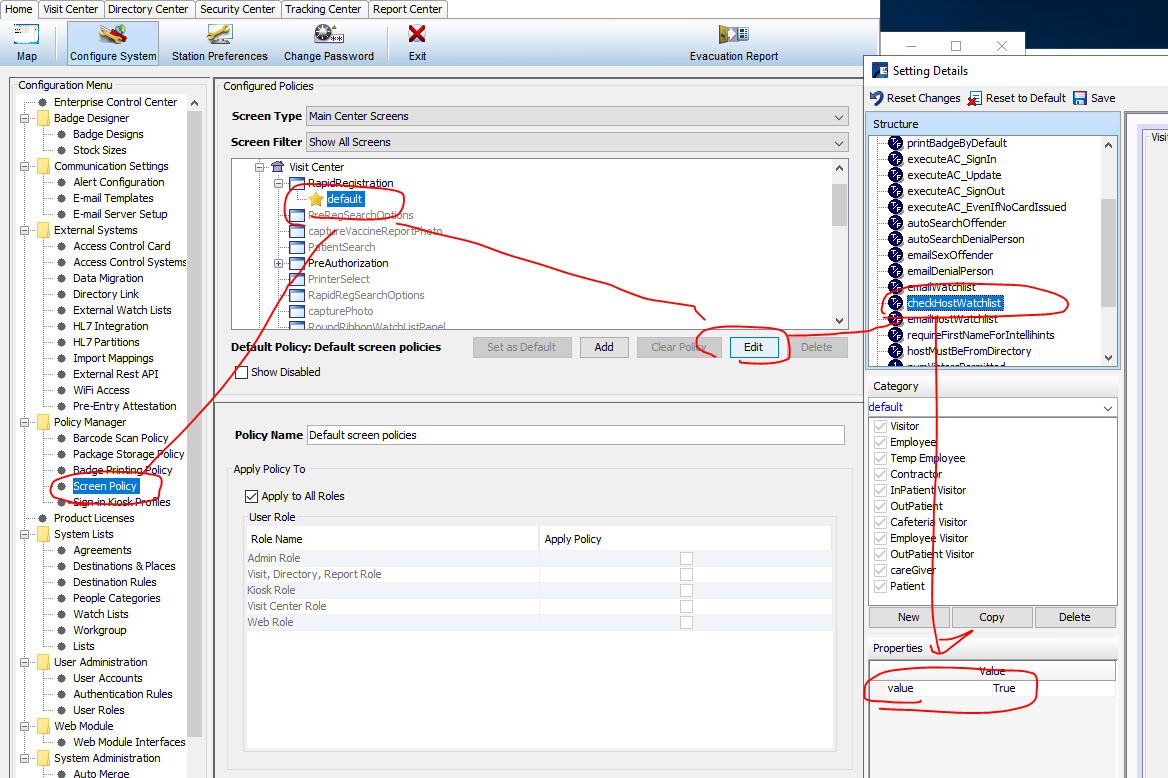
Now when a visitor is signed in, that visitor is then compared to the watchlist. If a match is made, the watchlist is popped up.
The logic of the match is found here: